ColecoVision Emulator
Solo Projects · 2026
A ColecoVision emulator running inside Scratch, with a Python-generated Z80 core that passes 39,715 SingleStepTests vectors and plays cartridges at 60 fps in TurboWarp.
Built
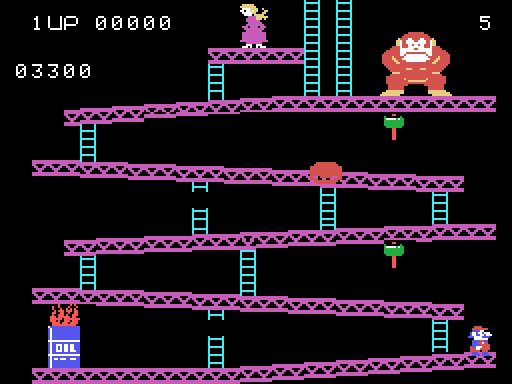
I wrote the emulator in goboscript (a text language that compiles to Scratch 3 .sb3 projects) and wrote a Python code generator for the Z80 CPU core before hand-optimizing the output for Scratch. It emulates the Z80 processor, TMS9918A video chip, and SN76489 sound chip, draws the screen with Scratch's pen, and includes a built-in menu with fuzzy game search, named save states, fast-forward, and ROM import and export.
Hard parts
- Scratch has no bitwise operators. The CPU builds a 64K AND lookup table at startup, derives OR and XOR arithmetically from it, and reads ADD, SUB, and CP flags from precomputed tables.
- Instruction dispatch is an 8-level binary tree of if-blocks. Folding opcodes that only differ by register or condition into shared handlers, plus sharing one instruction set between IX and IY, cut the core from 17,000 Scratch blocks down to 2,900 while passing the same tests.
- Scratch projects cap out around 5 MB, so cartridges, the BIOS, and save states use LZ4-style compression packed into a 64-character alphabet without lowercase letters (since Scratch list lookups are case-insensitive).
- Scratch never saves sprite clones into the
.sb3file, so running the emulated machine inside a clone keeps about 2 MB of RAM, VRAM, and lookup tables out of the saved project. - WebGL anti-aliases pen strokes, so drawing over an old pixel left faint color bleed. The renderer diffs 8-pixel cells per scanline, merges same-color runs into single strokes, and never paints over a pixel twice.
Learned
Treating Scratch as a compilation target makes surprisingly big projects manageable. Code generation, hardware CPU test vectors, and a headless TurboWarp test harness caught bugs you would never spot by eye.
Also
- All 1,604 documented and undocumented Z80 opcodes with cycle counts, verified against 39,715 SingleStepTests vectors on both Scratch's interpreter and TurboWarp's compiler.
- All four TMS9918A video modes, magnified sprites, the 4-sprites-per-line limit, hardware collision detection, and an optional flicker fix.
- SN76489 audio via one Scratch clone per channel looping a tone sample with pitch and volume effects.
- An in-console 6x8-font menu with ranked fuzzy game search (
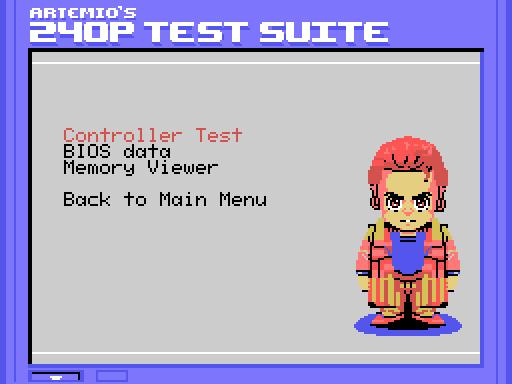
dkfinds Donkey Kong,qbertfinds Q-bert), named save states, 4x fast-forward, frame stepping, and a pixel-perfect 1:1 mode. - Builds with a 153-game ROM library (or 6 free CVBasic demos plus Artemio Urbina's 240p Test Suite out of the box), along with a companion web page that converts cartridge ROMs to hex for import.
- Headless TurboWarp test suite comparing pen output pixel-for-pixel against an independent TMS9918A renderer, driving the menu with simulated input, checking audio channels, and booting every cartridge in the library.
An emulator inside Scratch
Scratch is meant for teaching beginners: you get variables, lists, and custom blocks, no bitwise math, no return values from functions, and a 30 fps frame rate cap. I wanted to see if a real 8-bit console could run inside it anyway. The ColecoVision was a good target because its hardware is clean and well documented: a Z80 CPU, a TMS9918A video chip, and an SN76489 sound chip.
Dragging thousands of blocks by hand would have been miserable, so I wrote the emulator in goboscript (which compiles text source into a standard .sb3 file) and generated the repetitive CPU logic with Python. Version 1.0 went up on Scratch in November 2026, followed by v1.1 with a pixel-perfect 1:1 picture mode that runs noticeably smoother in stock Scratch. In TurboWarp, which compiles Scratch projects to JavaScript, cartridges run at a full 60 fps.
Compiling a Z80 down to 2,900 blocks
A Python script emits the Z80 core directly into goboscript. Registers live in sprite variables, the 64K address space is a Scratch list, and opcode dispatch walks an 8-level binary tree of comparisons. Since Scratch has no bitwise AND, OR, or XOR, the core builds a 64K AND table on startup, computes OR and XOR arithmetically, and reads flag bits out of precomputed ADD, SUB, and CP tables.
The first working core was about 17,000 blocks. Merging opcodes that only differ by register or condition into shared handlers, reusing one instruction set for both IX and IY, and pulling common operations into custom blocks shrank it down to 2,900 blocks. All 1,604 documented and undocumented opcodes pass 39,715 SingleStepTests CPU vectors (checking registers, flags, memory writes, and cycle counts) on both stock Scratch and TurboWarp.
Pen graphics, clone sound, and the 5 MB limit
Scratch has no framebuffer, so the screen is drawn with pen strokes. The renderer tracks which 8-pixel cells changed on each scanline, merges adjacent pixels of the same color into a single line, and avoids painting over an already-drawn pixel because WebGL's anti-aliased pen edges let the color underneath bleed through. Sound uses one clone per SN76489 channel, looping a short waveform and adjusting Scratch's pitch and volume effects.
Scratch also caps project files near 5 MB, which gets tight once you include a BIOS, lookup tables, and a cartridge library (my full build packs 153 games; a fresh checkout bundles six free CVBasic demos and the 240p Test Suite). Running the emulated machine inside a sprite clone keeps about 2 MB of live RAM, VRAM, and tables out of the saved .sb3 since Scratch never serializes clones. Cartridges and save states use an LZ4-style compressor written in both Python and Scratch, encoded in a 64-character alphabet without lowercase letters because Scratch list lookups ignore case.
Testing a Scratch project like normal software
The test suite drives the compiled project headlessly inside TurboWarp's VM. A mock renderer rasterizes the pen commands and compares the output pixel-for-pixel against an independent TMS9918A reference renderer, including verifying that incremental redraws match a full-frame draw. Separate tests navigate the in-emulator menu with simulated keys and clicks (including the ranked fuzzy search where dk finds Donkey Kong and mdc finds Mr. Do's Castle), check every sound channel against a model of Scratch's audio engine, and save and reload the project to make sure no big working lists leak into the file.
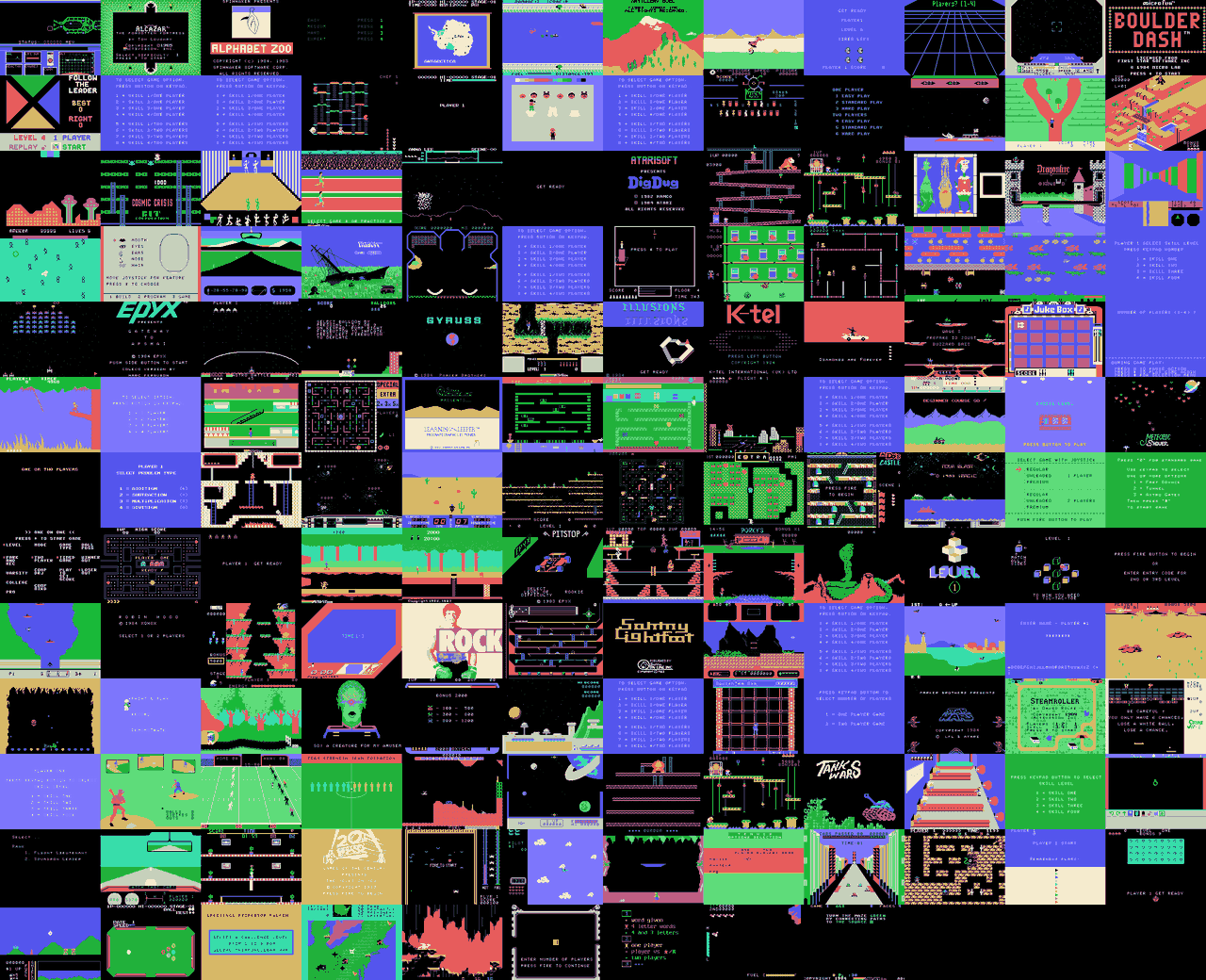
A library check boots every cartridge past its title screen and saves a contact sheet of the first frame each one draws. It cannot prove every game is beatable to the end, though it immediately catches when a change breaks a video mode or boot path.